यह लेख इस भाषा में भी है: हिन्दी. Can you send wedding invitations by email, WhatsApp or text? →

Can you send wedding invitations by email, WhatsApp or text?
Yes, you can, and plenty of couples do. The trick is making a message feel like an invitation, not a group chat. Here's how to send by email, WhatsApp and text, with wording you can copy.
In this article
For many families, WhatsApp is where life happens. Grandparents share photos there, cousins plan trips there, and the family group chat never sleeps. Email is where formal things arrive, and text messages reach everyone. So it makes sense that more and more couples send their wedding invitations the same way they already talk to the people they love.
The question isn't whether it's allowed. It is. The question is how to make a message feel as special as a card in the post. This guide covers each channel, the wording to use, and the small details that make a digital invitation feel personal.
Is it OK to send wedding invitations digitally?
Yes. Digital invitations have gone from unusual to normal in a few years, for weddings of every size and level of formality. What guests notice is not the channel, but the care: a beautiful design, warm wording, and a message addressed to them. A personal link that opens a proper invitation, with their names on it and an easy RSVP, feels thoughtful.
What doesn't work is the shortcut version: a single message to a group chat, a link to a generic form, or an email with 150 addresses in the "To" line. Those feel like a mass announcement, not an invitation.
| Text (SMS) | |||
|---|---|---|---|
| Feels formal | ✓ | ~ | ~ |
| Shows a preview with picture | ✓ | ✓ | ~ |
| Popular with family abroad | ~ | ✓ | ✕ |
| Popular with older guests | ✓ | ✓ | ✓ |
| Risk of spam folder | ~ | ✕ | ✕ |
| Easy to send one by one | ✓ | ✓ | ✓ |
Sending by email
Email is the most formal digital option, and works well for colleagues, older relatives and anyone you don't message often. A good invitation email has a clear subject line, a short personal greeting, and one obvious button or link to open the invitation.
You're invited: Amelia & Daniel's wedding, June 12
Dear Aunt Rosa and Uncle Mike,
We're getting married, and we'd love you to be there.
Your invitation, with all the details and your RSVP, is here:
[your personal link]
Please reply by May 15. We can't wait to celebrate with you!
Amelia & Daniel
Sending by WhatsApp
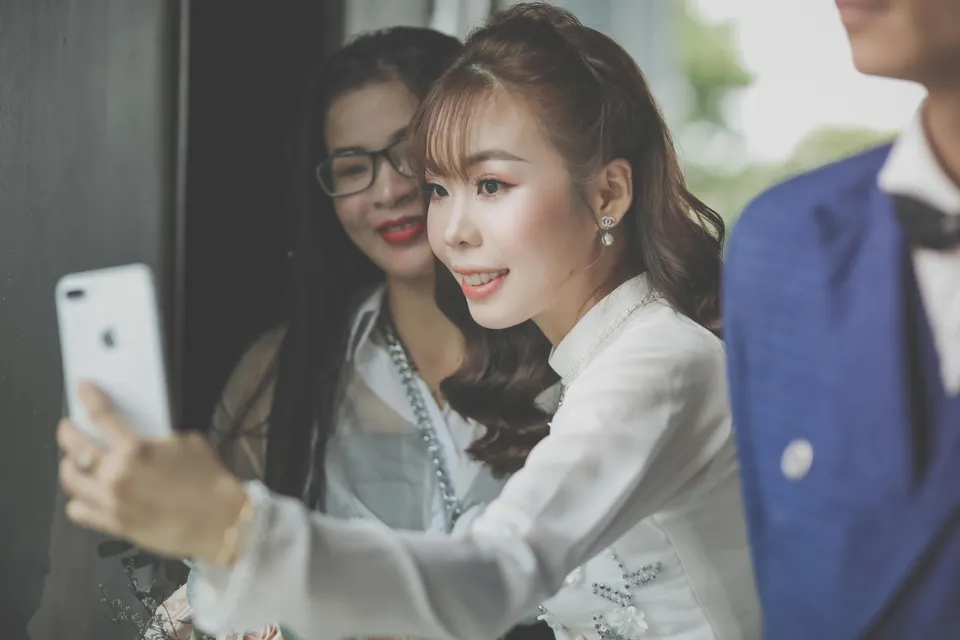
WhatsApp is ideal for family, close friends and anyone abroad. Messages arrive instantly, show a preview picture of your invitation, and people tend to read them. The key is to send one message per household, not one message to the family group.
- Open a private chat
With one person in the household, usually the one who'll reply for everyone.
- Write a short note
A personal line in your own words.
- Paste their personal link
WhatsApp shows a preview with your design and names.
- Send, then move on
Repeat for each household. It's quicker than it sounds.
Hi Priya! 💌 We're getting married and we'd love you and Arjun to be there.
Here's your invitation, with everything you need and your RSVP:
[your personal link]
Love, Amelia & Daniel
Sending by text message
Text messages reach everyone with a phone, including people who don't use WhatsApp or check email. Keep the message short, because long texts can split into several parts.
Hi Sam! Amelia & Daniel here. We're getting married on June 12 and would love you to come. Your invitation and RSVP: [your personal link]
Mixing channels
Most couples use more than one channel. Email for colleagues and older relatives, WhatsApp for family and friends abroad, text for everyone else. That's fine, as long as each household gets its own link, so all the replies end up in one place.
Colleagues, formal relationships, anyone who prefers it.
Family, close friends, guests abroad.
Anyone who doesn't use the other two.
Grandparents and guests who love paper.
Making it feel personal
- Use names. "Dear Aunt Rosa and Uncle Mike" beats "Hi everyone".
- Add one personal line. "We can't wait to dance with you again" or "It wouldn't be the same without you".
- Send at a good time. Not late at night, not during work hours for colleagues.
- Call the VIPs. For grandparents, a quick call to say the invitation is coming makes it special.
The channel doesn't make an invitation feel special. The care does.
Following up
One of the best things about digital invitations is seeing who has replied at a glance. After a few days, check who hasn't, and send a quick personal follow-up. A week before the RSVP deadline, send a reminder only to those who haven't replied. Many online invitation services can do this for you automatically.
What to send first: invitation or message?
For close family, it's lovely to send a quick personal message first ("Keep an eye out, your invitation is on its way!") and then the invitation itself. It builds a little excitement and makes sure the link isn't overlooked. For everyone else, one message with the link is plenty.
Timing your send
Weekday evenings and weekend mornings are good times; people have a moment to open the invitation and reply. Avoid sending late at night, especially to older relatives whose phones may buzz loudly. If you're sending to guests in other time zones, it's worth waiting until their morning.
Sending in batches
You don't have to send everything at once. Many couples send to family first, then friends, then colleagues, over a day or two. Just make sure everyone receives their invitation before you post about it on social media, so nobody finds out from a story that they haven't been invited yet.
What about social media?
A public post is not an invitation. It's fine to share your excitement (and many couples post their save the date design) but make sure every guest has received their personal invitation first. And never put your RSVP link in a public post: it's personal to each household for a reason.
Privacy and personal links
Each household's link is personal: it shows their names and lets them reply for their party. Ask guests not to forward it, and never post it in a group. If someone does share a link by mistake, a good invitation service lets you create a new one for that household, so the old link stops working.
Guests also appreciate knowing their details are safe. Keep guest lists private, don't add guests to marketing lists, and only ask for the information you actually need for the day.
Questions couples ask
Is it rude to send wedding invitations by WhatsApp?
No. It's common, especially for family and guests abroad. Send one personal message per household, not one message to a group.
Is it OK to send wedding invitations by email?
Yes. A well-designed invitation email with a personal greeting and a private link per household is perfectly acceptable for any wedding.
How do I make sure guests see the invitation?
Use the channel each guest uses most, tell close family to look out for it, and check who hasn't replied after a few days.
Can I send some invitations by email and others by WhatsApp?
Yes. Just make sure each household has its own link so all replies end up in one list.
What should I write in a wedding invitation text message?
A greeting with their name, one line saying you'd love them to come, and their personal link. Keep it short.
Should I send the invitation to every adult in a household?
One message to the main contact is usually enough, as long as the invitation lists everyone invited. For adult children living at home, a separate invitation is a nice touch.
What time of day should I send digital invitations?
Weekday evenings and weekend mornings work well. Avoid late at night, and wait for the morning in each guest's time zone if they live abroad.
Make your invitation in minutes
Beautiful designs, an RSVP for each guest and automatic reminders. Free for up to 25 guests.
Start freeKeep reading
-
 19 नवंबर 2026 · 7 min read
Digital vs paper wedding invitations: how to choose
The real differences between digital and printed wedding invitations, including cost, etiquette, guests who aren't online, and how to combine both.
-
 23 नवंबर 2026 · 12 min read
Wedding hashtag ideas: free generator and 100+ examples
Create a unique wedding hashtag in seconds with our free generator, plus 100+ ideas by style, rules for making it readable, and where to share it with guests.
-
 20 नवंबर 2026 · 7 min read
How to collect wedding RSVPs online (meals, plus-ones and dietary needs)
What to ask on your wedding RSVP, how to handle plus-ones and children, and how to get meal choices and dietary needs without chasing guests.